
Time Tracker & Approvals
Fast to log time on mobile. Clear to review on desktop.


Context & Scope
TEAM
1 Designer, 4 Engineers
MY ROLE
Lead Product Designer
TIMELINE
3 Months
(2025)
TOOLS
Figma, Jira, Miro
The Problem
Time tracking for large, distributed teams was slow and lacked operational context. Field agents logged time after the fact, often missing job and asset details, while managers approved entries with limited visibility.
My Contribution
As the Lead Designer, I partnered closely with product and engineering to shape the end-to-end experience across mobile time entry and desktop approvals. I defined role-aware workflows and context-driven defaults, reducing user effort and enabling faster, more confident approvals at scale.
THE OUTCOME
Faster submissions, clearer approvals, and more reliable operational data.
-41%
Time entry errors
+22%
More mobile adoption
Overview
Operations teams depend on accurate time and approval data to manage projects, control costs, and ensure compliance. However, the existing time tracking and approvals experience was fragmented across tools and prone to delays and errors—especially for field-based teams working under time pressure.
This project focused on redesigning the Time Tracker and Approvals workflows to remove friction, simplify decision-making, and create a more reliable end-to-end experience for both time submitters and approvers across large, distributed teams
Discovery & Research
We didn't just sit in the office. We spent 3 weeks with field engineers, team leads and managers to understand the friction points in the current time tracking process and tools.
13
FIELD INTERVIEWS
3
CONTEXTUAL
ENQUIRY
2 Weeks
PRODUCT
DOGFOODING
The Environment
Interrupted work
Field agents log time between jobs, while approvers review entries between meetings and priorities.
Uneven context
Entries are created with limited detail in the field and validated later using richer job and team context.
Accountability under time pressure
Agents need speed without friction; approvers need confidence without deep investigation.
Research Insights
Most users log time in short bursts — between tasks, after shifts, often on mobile.
Managers and team leads often log their team’s time on their behalf.
Approvals happen mostly on desktop and delays can cause loss of pay.
Real-time notifications could improve accountability by prompting users to log hours promptly.
THE STRATEGY
Integrated time logging and approval
We moved away from fragmented time entry and approval flows. Instead of treating logging, reviewing, and approving time as separate steps, we designed a unified, context-rich experience that supports confident decisions—especially on mobile and in interrupted work environments.
Mobile App integration with Timesheets
Approval integrated with Timesheets
Customised Approval Workflows
User Personas
Based on the research and synthesis we were able to come up with 2 major personas.


The Effortless Time Entry & Approval Workflow
01
Auto-Track Time
Reduce manual entry with task-aware tracking and smart summaries that keep time accurate without disrupting real work.
02
Consolidated View
See logged time, exceptions, and context in one focused view — making review faster and decisions clearer.
03
Approvals Integration
Connect time entry directly to approvals so teams move faster with fewer handoffs and no follow-ups.

DESKTOP EXPERIENCE
Designed for review and decisions.


MOBILE EXPERIENCE
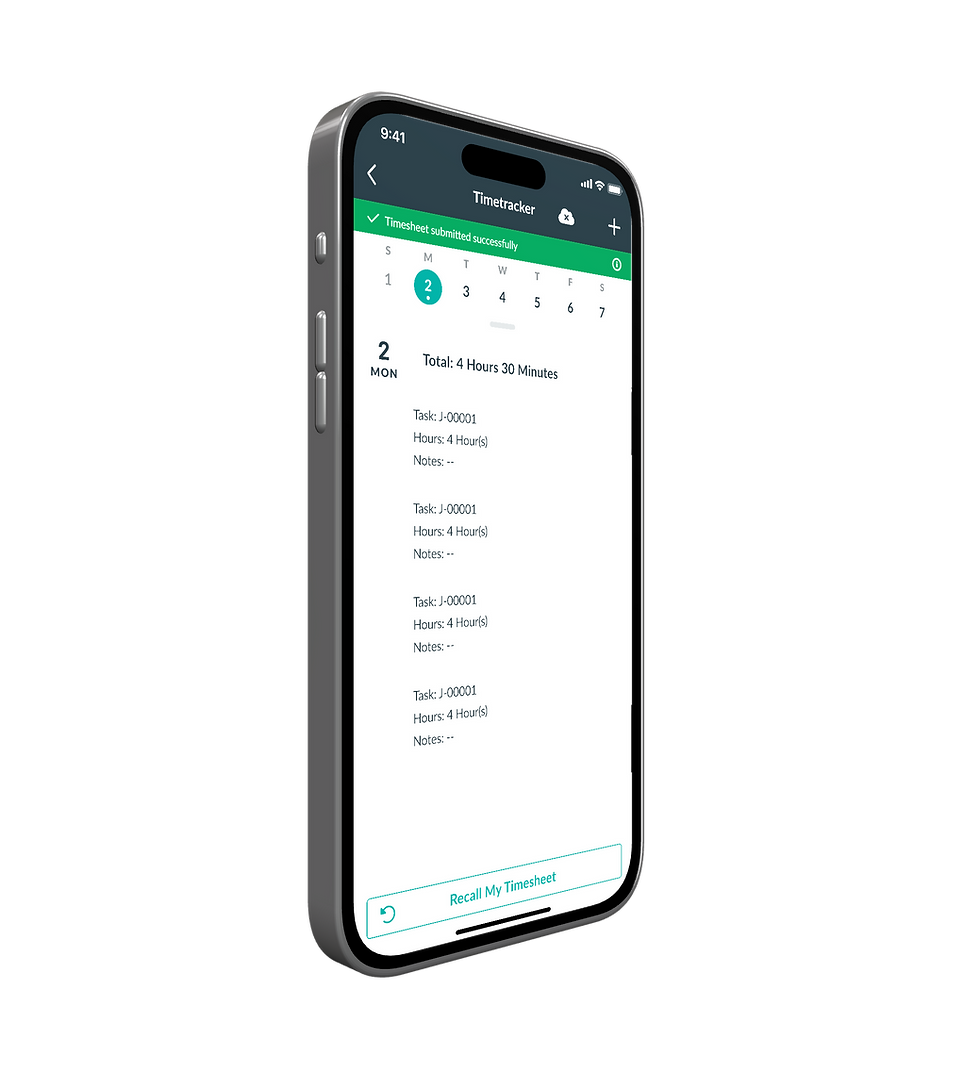
Fast and effortless time entry.


Experience the Mobile workflow
Static screens can only tell half the story. We built high-fidelity prototypes to test the physics of our flow & interactions.
Validation & Testing
Testing Feedback
“I usually find mistakes after I submit. Now I see them before I hit submit.”
FIELD TECHNICIAN, NEVADA
“This doesn’t feel faster because it’s rushed. It feels faster because it’s clearer.”
SITE MANAGER, ARIZONA
We didn't just ship it. We ran 2 rounds of moderated usability testing with 5 field technicians and 2 managers to test our designs.
Error Recovery Rate
After the redesign the error recovery rate increased from 50% to 90%.
Backtracking frequency
Users almost never backtracked while completing the time entry and approval as compared to 2-3 times before the redesign.
The Impact.
+23%
ON-TIME SUBMISSIONS
-41%
TIME ENTRY ERROR
+22%
MOBILE ADOPTION
HEAD OF PRODUCT, LARGE FIBRE OPERATOR
"
This wasn't just a redesign; it was a fundamental shift in how we use our timesheets. The integrated yet customisable approach made the friction disappear.
What I Learned
Time isn’t just data — it’s context.
Capturing hours only works when the system understands where, when, and why time is logged.
Mobile and desktop solve different cognitive problems.
Speed and interruption-tolerance matter on mobile; clarity, comparison, and decision-making matter on desktop.
Approvals are about trust, not clicks.
Managers approve faster when the system surfaces confidence, exceptions, and intent — not just totals.
Reducing steps matters less than reducing uncertainty.
Fewer screens help, but clear validation and feedback do more to prevent rework and delays.
Designing for scale means designing for edge cases.
Late entries, edits, overrides, and compliance rules shape the system as much as the happy path.